Bring the idea. CutWrap makes the video.

An AI studio for your personal brand and your business. Ask in plain words on your Mac or from your iPhone - it plans the content, makes the videos, writes every post in each account's language and shows what's working. You approve.

AI that runs on your Mac Your iPhone is the remote Nothing posts without your OK
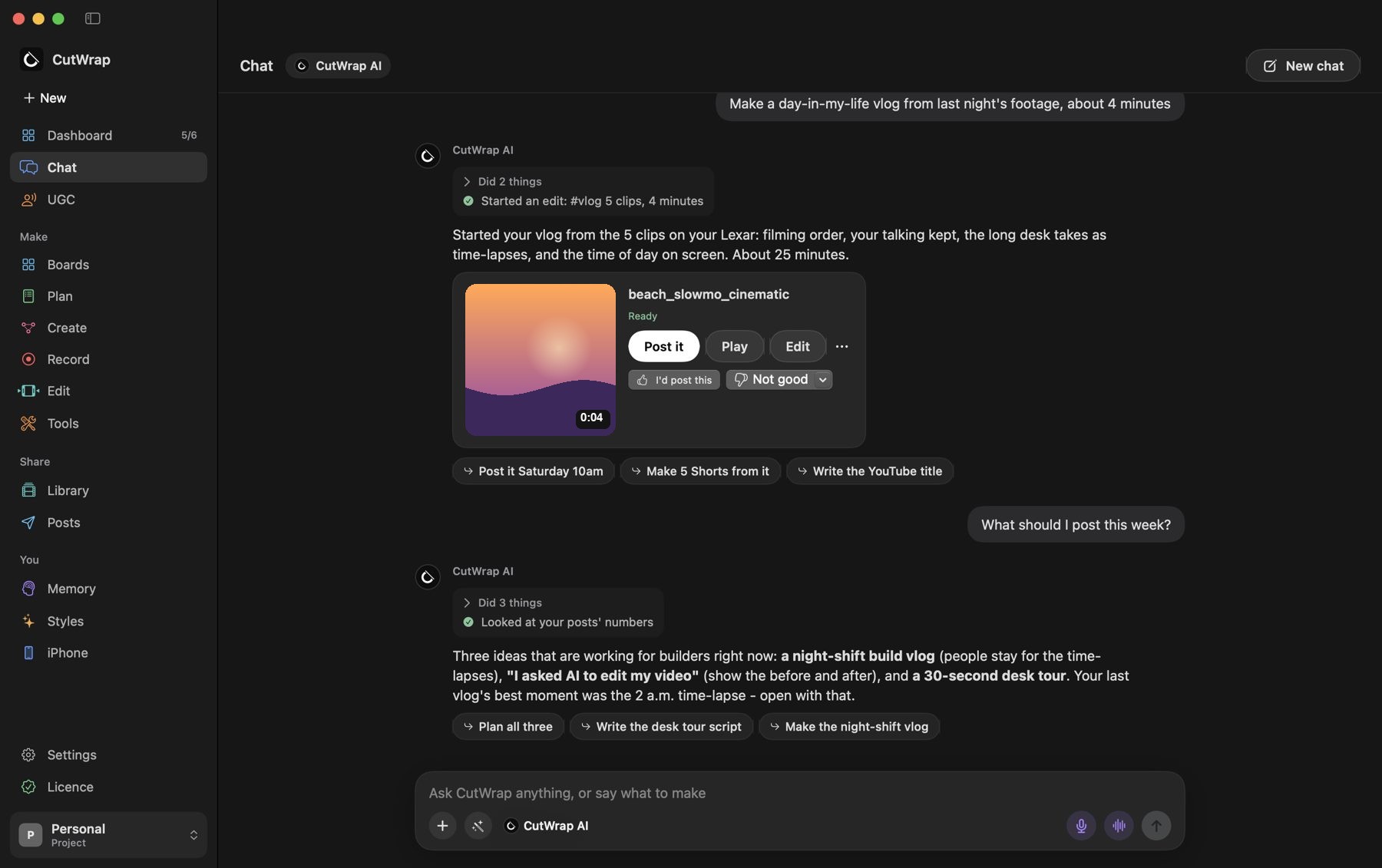
CutWrap for Mac: CutWrap AI starts a day-in-my-life vlog from five clips and suggests what to post next
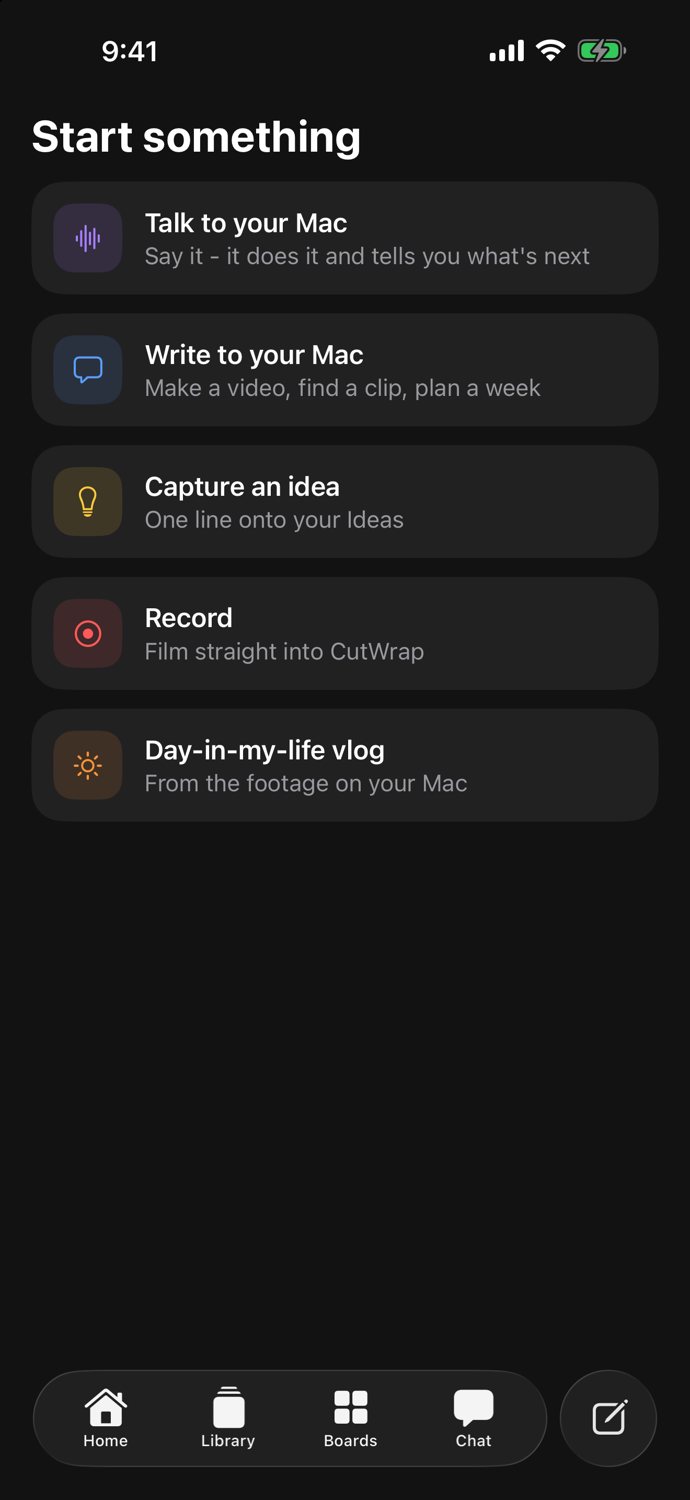
CutWrap for iPhone: talk to your Mac, write to it, capture an idea, record, or make a vlog
Made with CutWrap

Coming soon.

This teaser was designed, animated and scored by CutWrap's own motion graphics maker - from one paragraph.

What it makes

Every format a creator posts.

Say what you want. CutWrap picks the shots, cuts on the words or the beat, grades the colour, cleans the sound and writes the captions.

Reels, TikToks & Shorts9:16, captions behind you, the hook in the first seconds.
YouTube videosLong-form with jump cuts, punch-ins, b-roll and chapters.
Day-in-my-life vlogsYour clips in filming order, time-lapses, the time of day on screen.
Shorts from a long videoOne talk becomes ten captioned clips, each with its own post time.
PodcastsSeveral cameras, cut to whoever is talking.
UGC ads on autopilotDozens of ads from one product's footage, approved in one go.
Carousels & postsSwipe-through slides, image and text posts in your brand.
Thumbnails & photosDesigned thumbnails, and 4K stills from any moment.
For your business

Your whole social team. On your Mac.

Give each business its own project - its product, accounts, rules and bots, kept apart from your personal work.

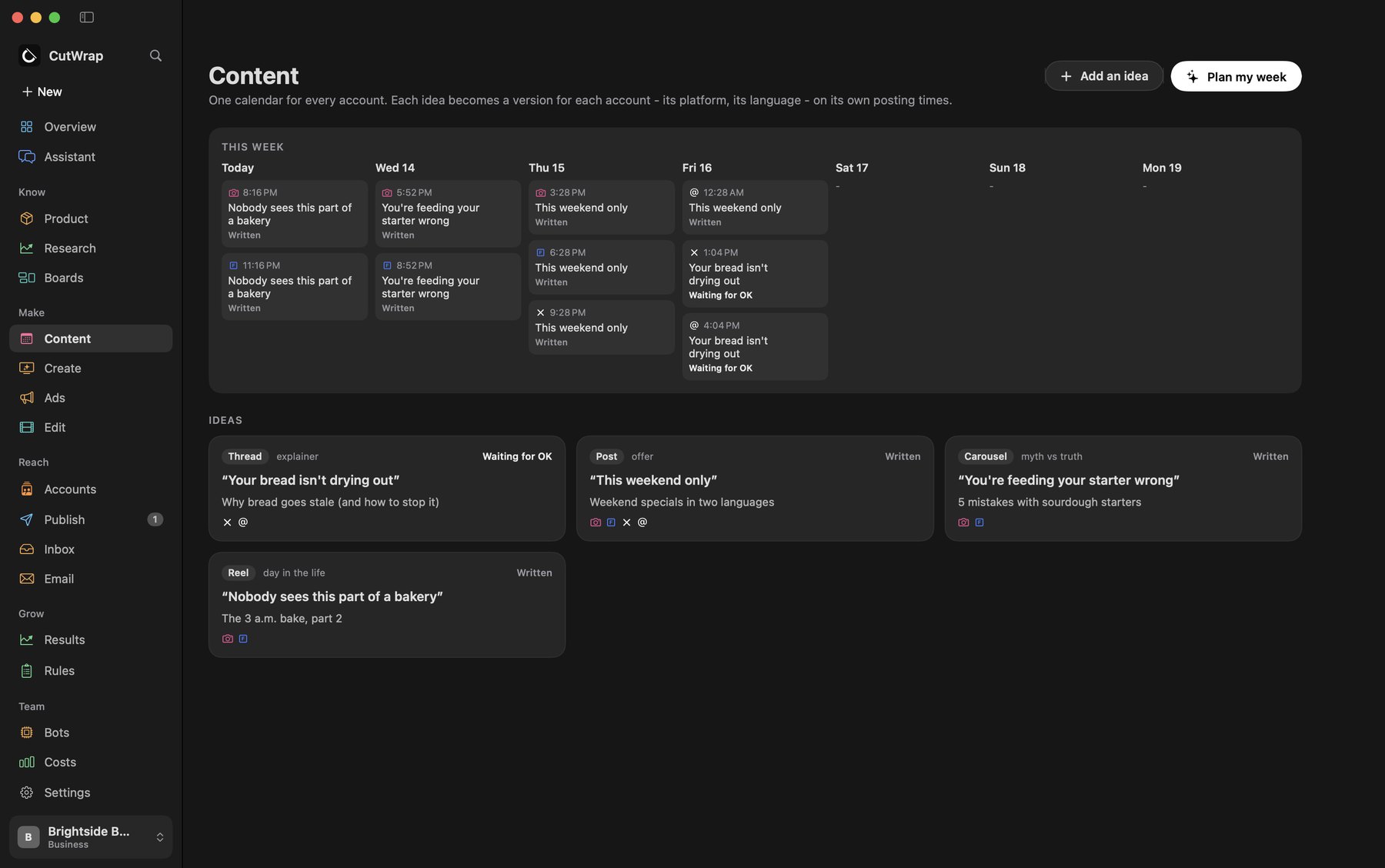
  • One content calendar. Each idea becomes a version for every account - its platform, its language, its own posting time.
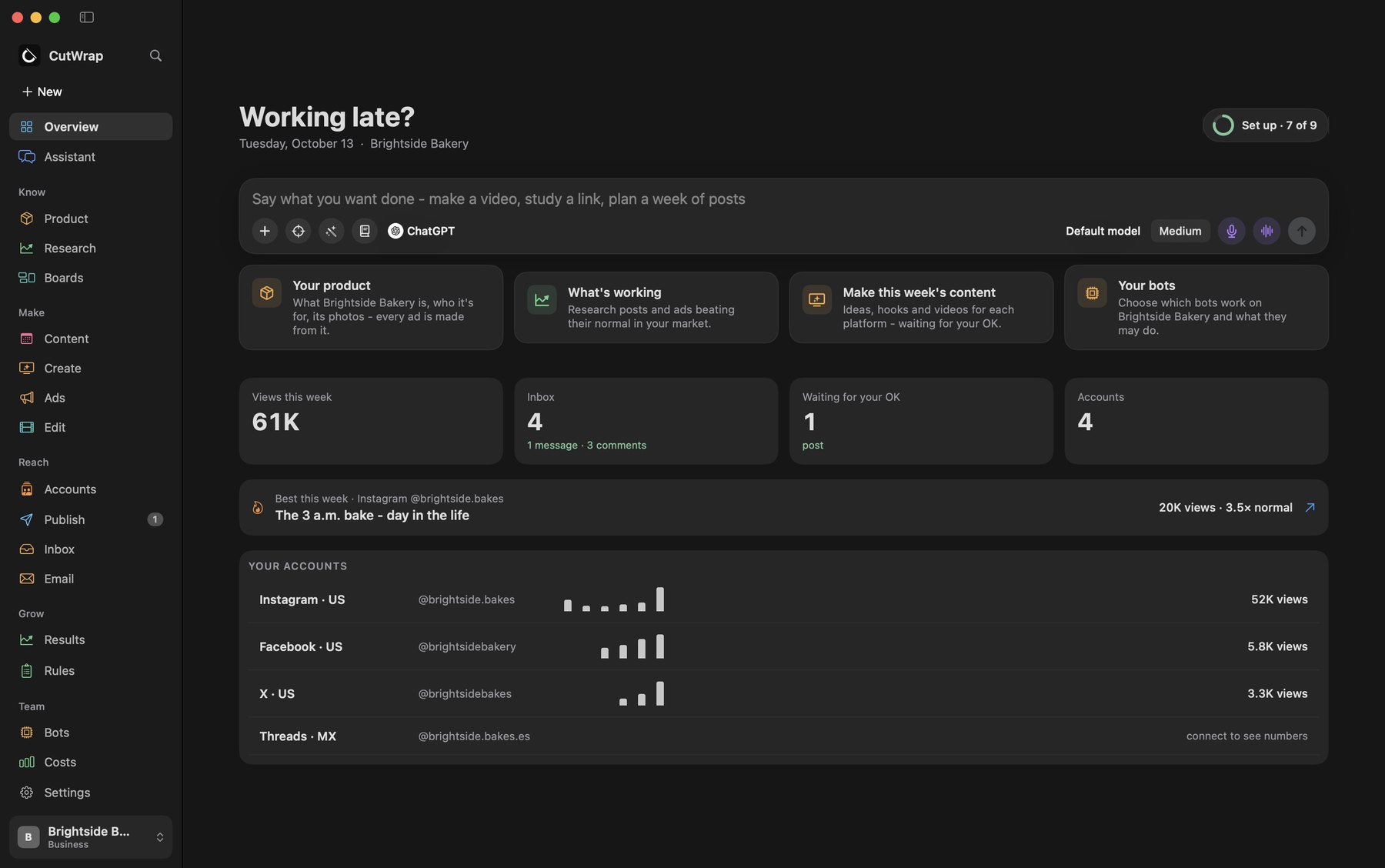
  • Real numbers per account. Views, best posts against each account's normal, and one inbox per account for comments and messages.
  • See your sales. Connect Lemon Squeezy, Stripe, Shopify or Gumroad and see sales next to your views - read-only.
  • Ads you approve. Drafted from what's already working; nothing is spent until you say yes.
  • A weekly report and your rules. What worked, what didn't, what changes next - and a playbook every AI follows.
CutWrap business overview for a sample bakery: views this week, inbox, posts waiting, the best post and each account
Sample business shown
Content

Plan the week in one tap. Every account, every language.

CutWrap plans from your product and what's working, writes a version for each account, and puts it on that account's own posting slots - waiting for your OK.

CutWrap Content: a week's calendar with posts for Instagram, Facebook, X and Threads, and the ideas behind them
Sample business shown
Your AI assistants

Let your assistants work in CutWrap - on your terms.

Connect Meta Muse, ChatGPT or Grok and ask them to plan posts, check your accounts or draft an ad. They can only do what you allow, and you can switch them off at any time.

Meta Muse

Works with your Instagram, Facebook and Meta Ads Manager - files your numbers and comments, and launches only the ads you approved.

ChatGPT

Plans, writes and reads your boards - and makes pictures with your own ChatGPT plan.

Grok

Keeps an eye on X for you and brings what's trending back to your boards.

Just ask

Talk to it like an editor who never sleeps.

Type or say it. CutWrap AI shows what it's doing while it works, and ends every answer with what to do next.

Researching… 3sSearching YouTube for day-in-my-life vlogs
  • Finds your footage on your Mac and every drive, by name, in under a second: "Lexar › Shoot › Raw › Oct 2".
  • Voice mode. Talk back and forth; it keeps every word, even when you pause.
  • Cleans up safely. It finds old versions and copies, shows you every file, and only moves what you tick to the Trash.
CutWrap chat with a finished vlog ready to post
iPhone + Mac

Text your Mac from anywhere. Come back to a finished video.

Your iPhone is the remote and your Mac is the studio. At home they talk over your own Wi-Fi; away, through an encrypted link to your Mac. Your footage is edited on the Mac at full quality and never kept on anyone's server.

1
Text or talk from anywhere

"Make a vlog from today", "find last week's podcast", or send clips from your camera roll. Your Mac picks it up.

2
Your Mac does the heavy work

It finds the footage on your drives, edits at full quality, and shows every step live on your phone.

3
Watch a small copy, change any part by voice

Tap the moment and say "brighter", "slower" or "cut this". The Mac makes the change.

4
Approve, post - or finish it in your editor

Schedule it everywhere at once, or open the project in Final Cut Pro, Premiere Pro or DaVinci Resolve to polish it yourself.

Create

Pick a format. It writes, cuts and plans the post.

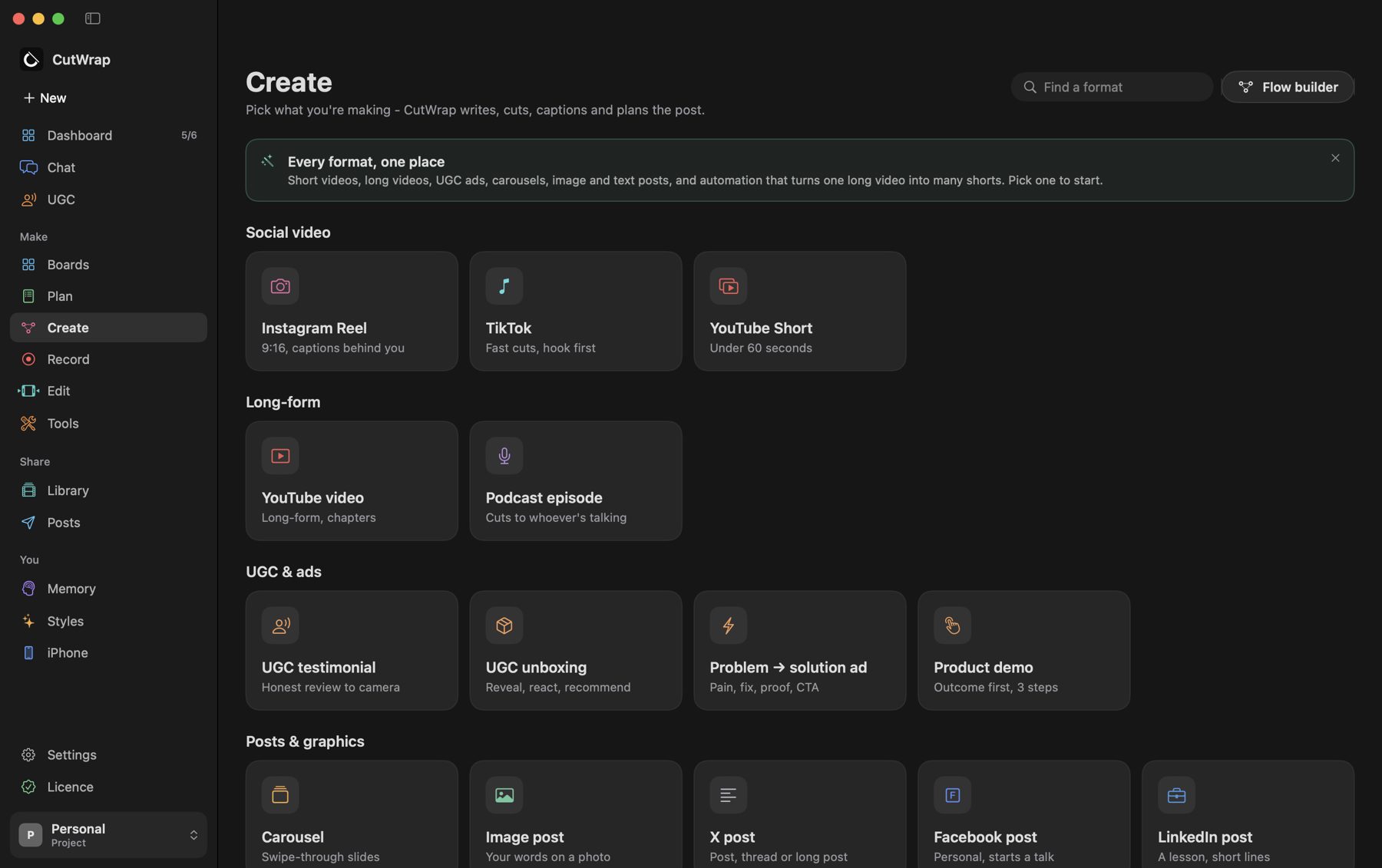
Social video, long-form, UGC ads, carousels, image and text posts - and a flow builder for the jobs you repeat every week.

CutWrap Create: Instagram Reel, TikTok, YouTube Short, YouTube video, podcast, UGC formats and posts
Tools

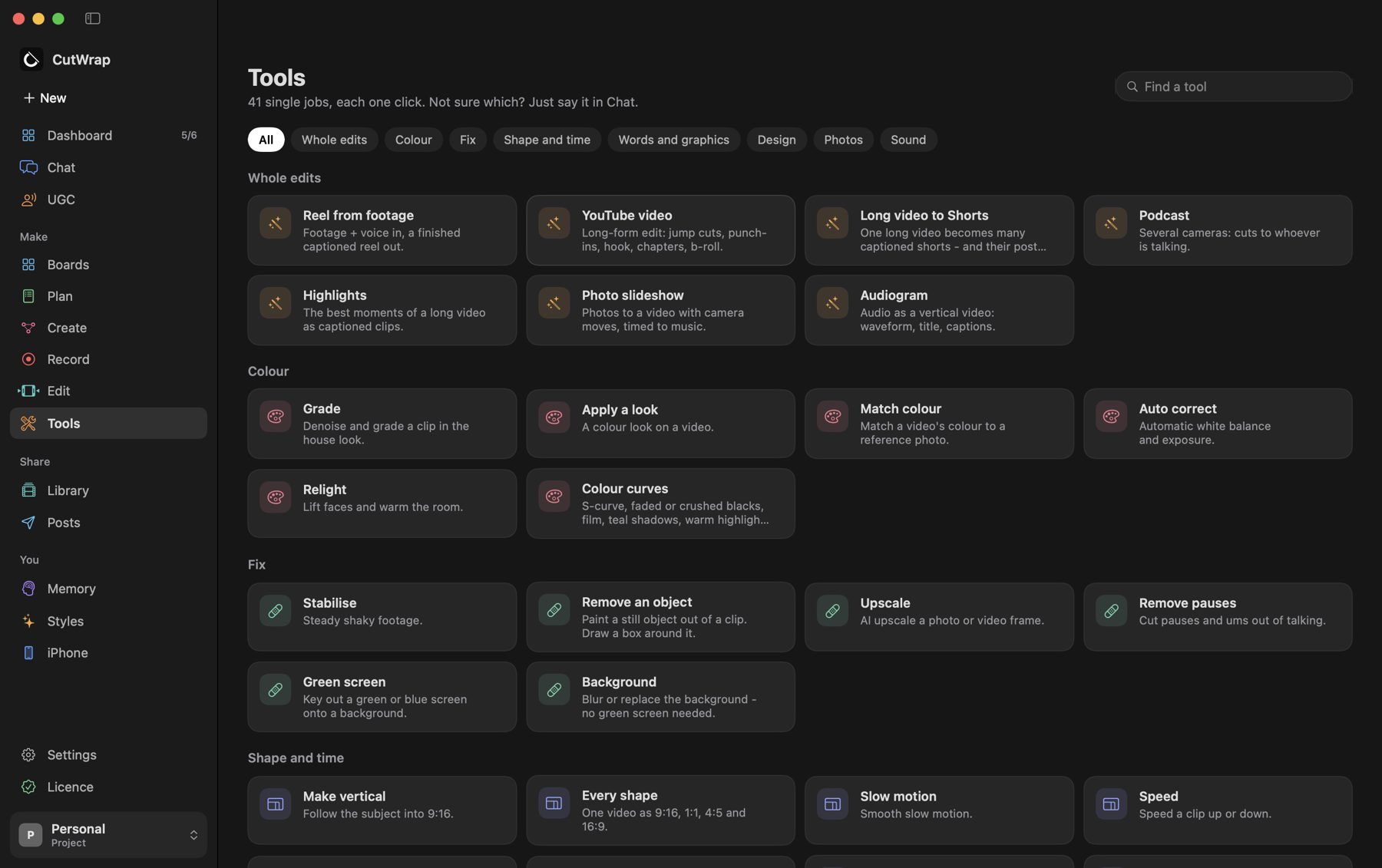
Every edit you'd do by hand, one click each.

Grade, match colour, relight, stabilise, remove an object, upscale, green screen, remove pauses, slow motion, captions, sound clean-up and more. Not sure which one? Just say it in Chat.

CutWrap Tools: whole edits, colour, fix, shape and time
41single jobs
Pro editors

Finish it in Final Cut Pro, Premiere Pro or DaVinci Resolve.

Want to polish it yourself? Say "open it in Final Cut" - or Premiere, or DaVinci. CutWrap hands over a real project, not a flat video: every layer separate, ready to keep editing.

Final Cut Pro

A project that opens as a timeline: the graded picture on the storyline, captions on their own layer above, your voice below.

Premiere Pro

A Premiere project with the same layers - shots, captions and voice on their own tracks.

DaVinci Resolve

The timeline imports as it is, and your colour comes with it as a LUT, so you can grade on from there.

PictureProRes 422 HQ, already graded
CaptionsTheir own see-through layer - still behind you
Voice & musicSeparate tracks, cleaned and levelled
Your lookA LUT you can change
Research & boards

See what's working. Plan from it.

Paste links onto a board, connect the ideas, and ask about the cards you pick. CutWrap reads the videos - what's said, with timestamps - and researches YouTube, TikTok, Instagram, X and the web. No AI account needed; bring your own Claude, ChatGPT or Gemini for deeper research.

Learns every day

A skill tree that grows - and never repeats a mistake.

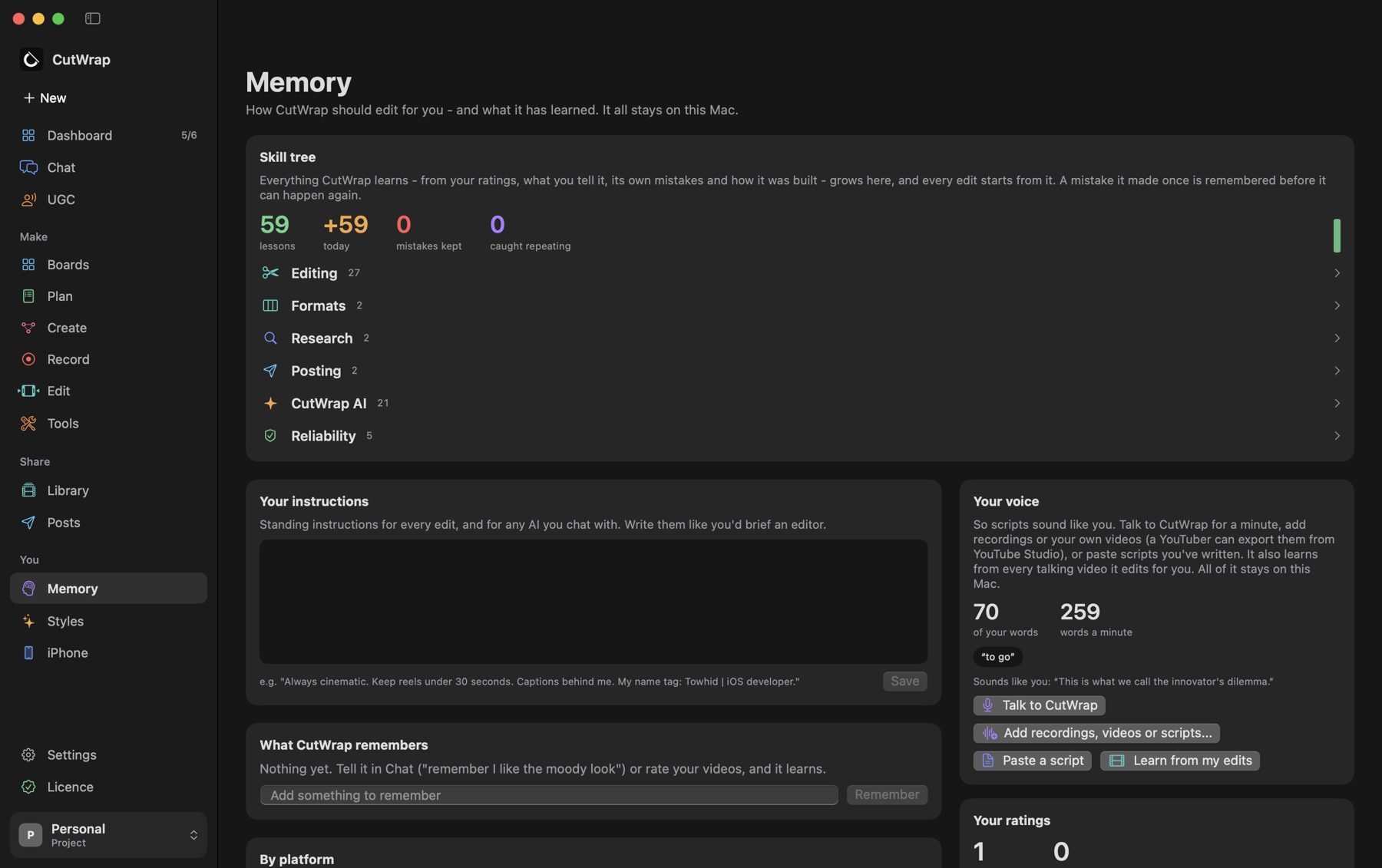
Everything CutWrap learns goes on its skill tree: your ratings, what you tell it, how you talk, and its own mistakes. Every edit starts from it.

  • Rate two videos "too long" and the next one is shorter, without asking.
  • A mistake is remembered before the same job runs again.
  • Scripts in your words. It learns how you talk from your own videos and recordings.
CutWrap Memory with the skill tree: lessons by branch - editing, formats, research, posting
Your look

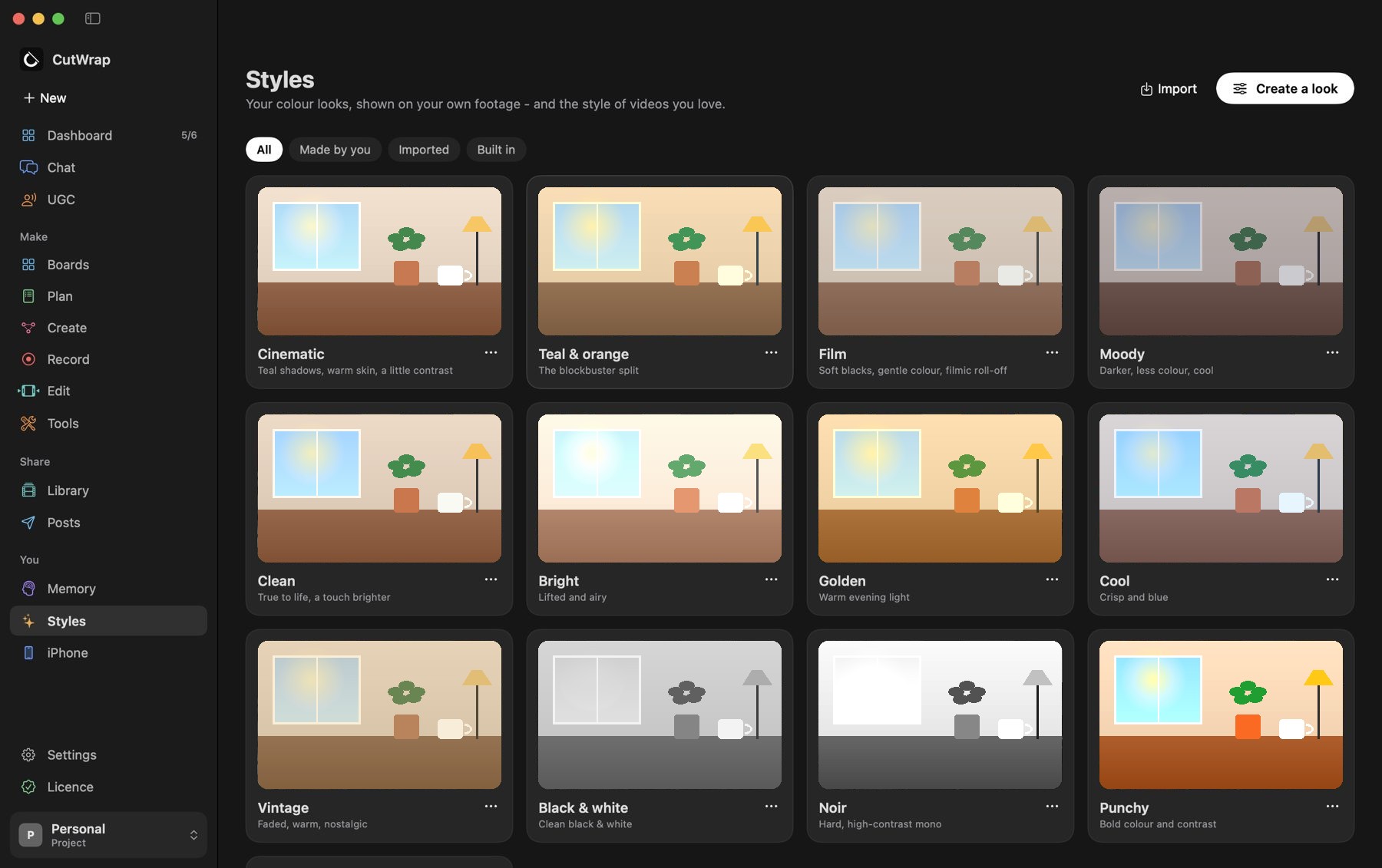
Your colour, on every video.

Cinematic, film, moody, golden - previewed on your own footage. Make your own looks, bring them in from Final Cut, Premiere or DaVinci, or learn one from a video you love.

CutWrap Styles: colour looks previewed on a sample scene
Post

Each post at its own time. You say when.

Connect your accounts once. Every video gets its own caption and time, and you can approve a whole week in one tap. Nothing posts without your OK - unless you set an account to post on its own, within the daily limit you choose.

▶YouTube ♪TikTok ◎Instagram fFacebook XX inLinkedIn
Private by design

Your work stays yours.

CutWrap AI runs on your Mac

Free, offline after one download, no account. Your questions stay on the Mac.

Your own iCloud, not our servers

Your footage is edited on your Mac and stays on your devices and in your own iCloud. We never see it.

No ads, no tracking

No analytics in the apps, nothing sold. Read the privacy policy.

Coming soon to Mac and iPhone.

Want to know the day it's out, or try it early? Write to us.

support@cutwrap.com